DynamoDB with Lambda

What is AWS Lambda?
You can use AWS Lambda to run code without provisioning or managing servers.
Lambda runs your code on a high-availability compute infrastructure and performs all of the administration of the compute resources, including server and operating system maintenance, capacity provisioning and automatic scaling, and logging. With Lambda, all you need to do is supply your code in one of the language runtimes that Lambda supports.
You organize your code into Lambda functions. The Lambda service runs your function only when needed and scales automatically. You only pay for the compute time that you consume—there is no charge when your code is not running.
What is Amazon DynamoDB?
Amazon DynamoDB is a serverless, NoSQL, fully managed database with single-digit millisecond performance at any scale.
DynamoDB addresses your needs to overcome scaling and operational complexities of relational databases. DynamoDB is purpose-built and optimized for operational workloads that require consistent performance at any scale. For example, DynamoDB delivers consistent single-digit millisecond performance for a shopping cart use case, whether you've 10 or 100 million users. Launched in 2012, DynamoDB continues to help you move away from relational databases while reducing cost and improving performance at scale.
Guide for DynamoDB with Lambda
Go to AWS Management Console:
Log in to your AWS Management Console.
Navigate to the DynamoDB service.
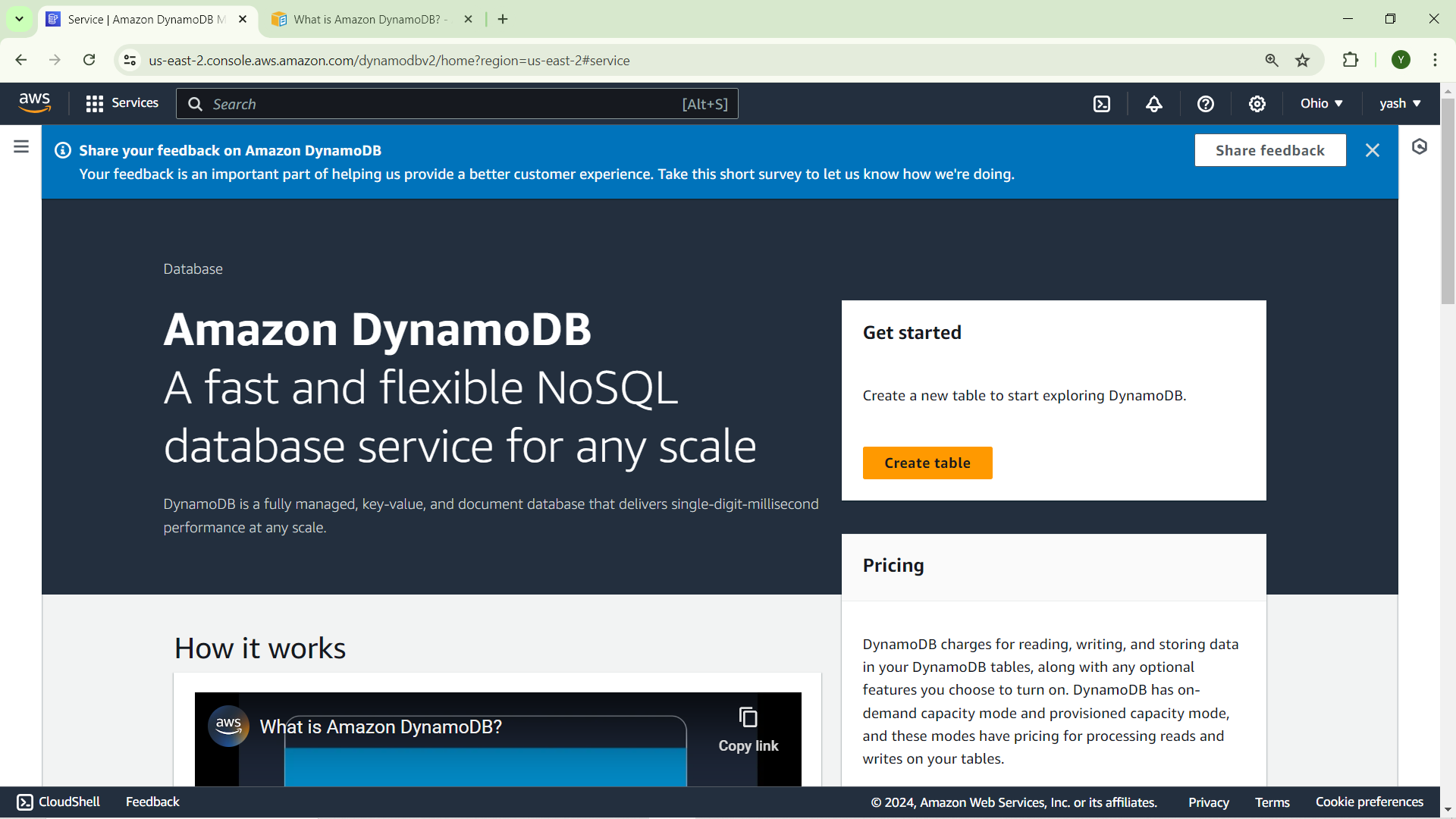
Create Table:
Click on "Create table".
Enter a Table name (e.g., learners).
Specify a Primary key:
- Choose a Partition key (e.g., learners-id of type String).
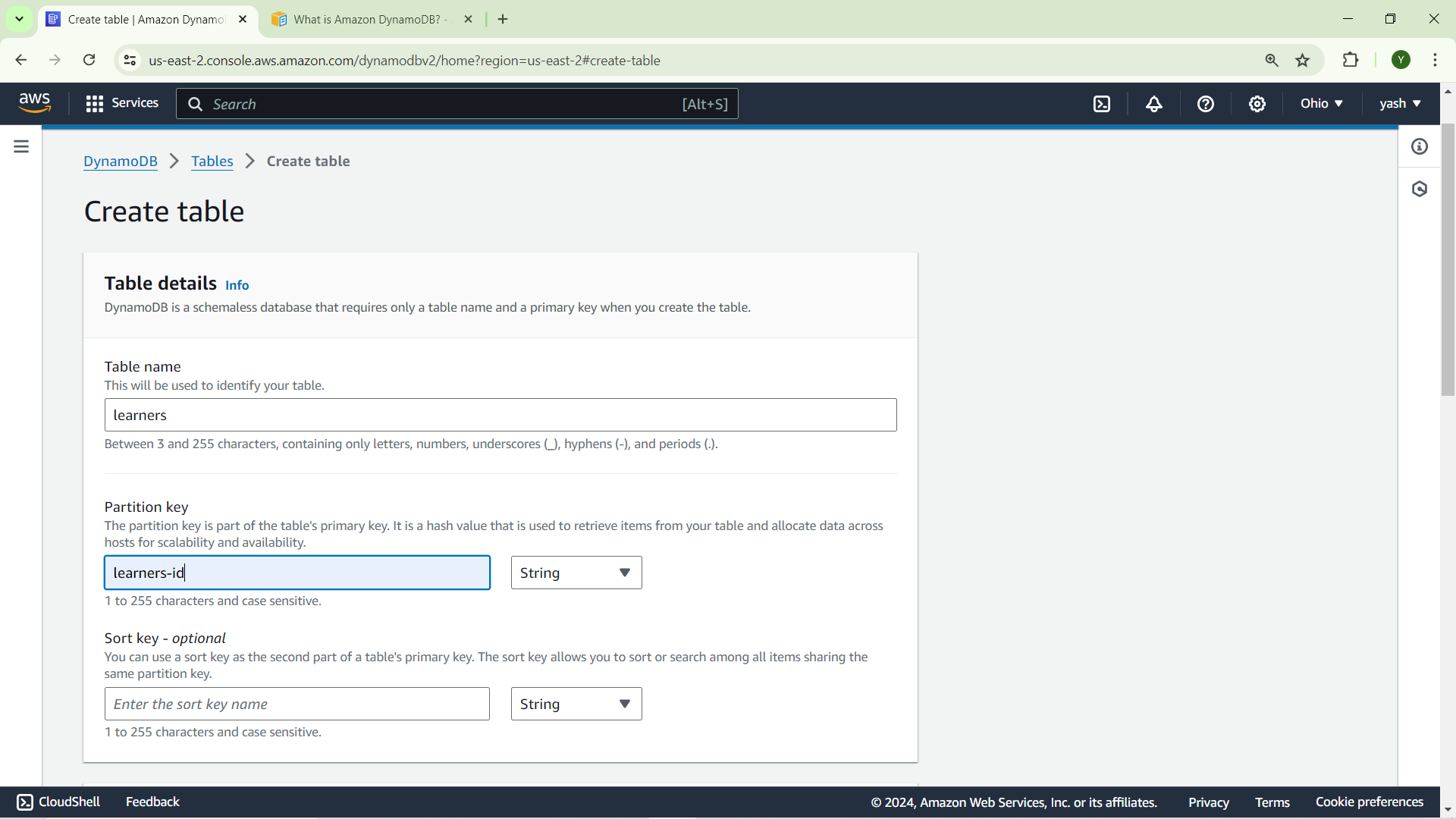
click on create
Create a Lambda Function
Navigate to the Lambda service.
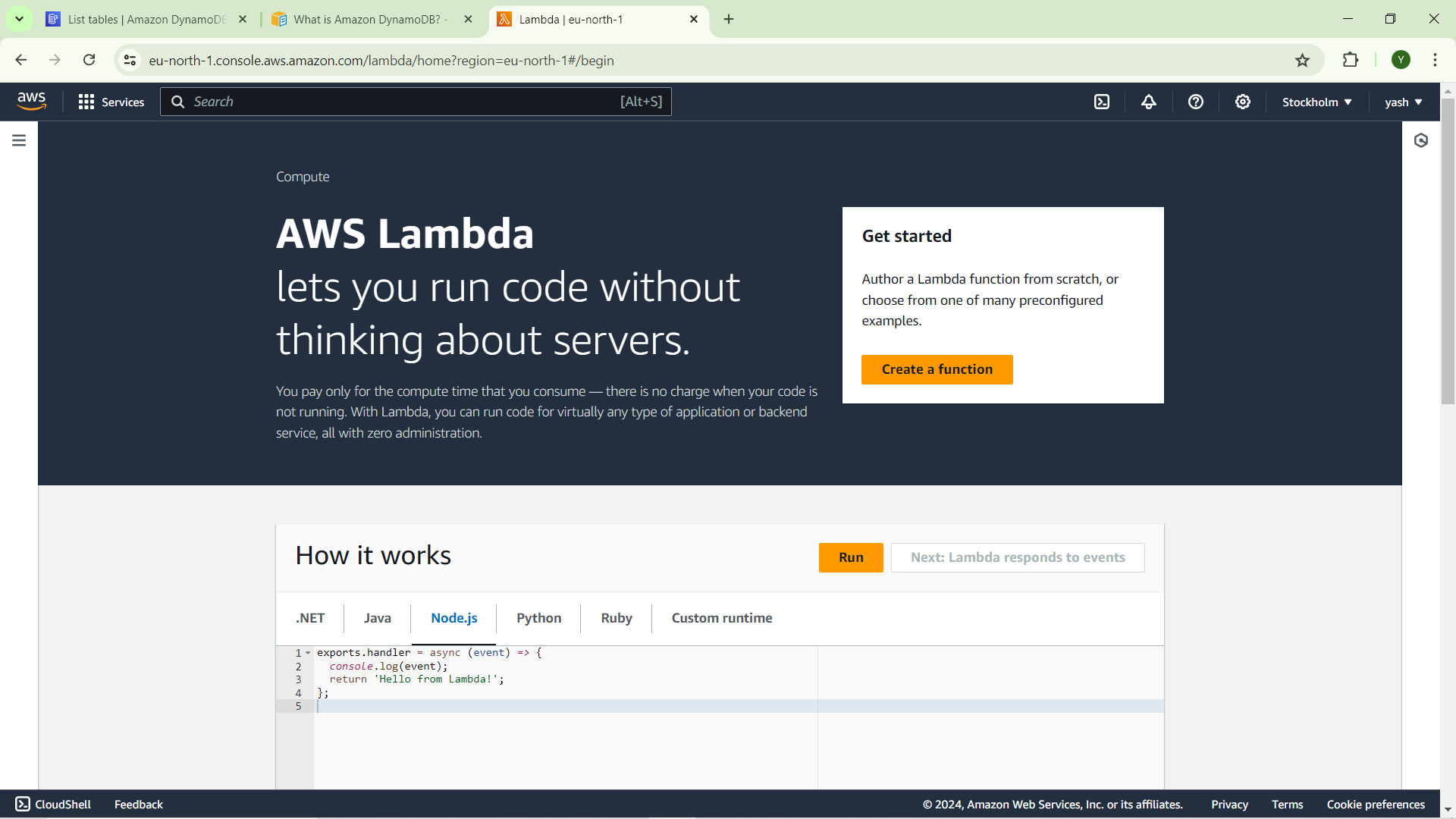
Create Function:
Click on "Create function".
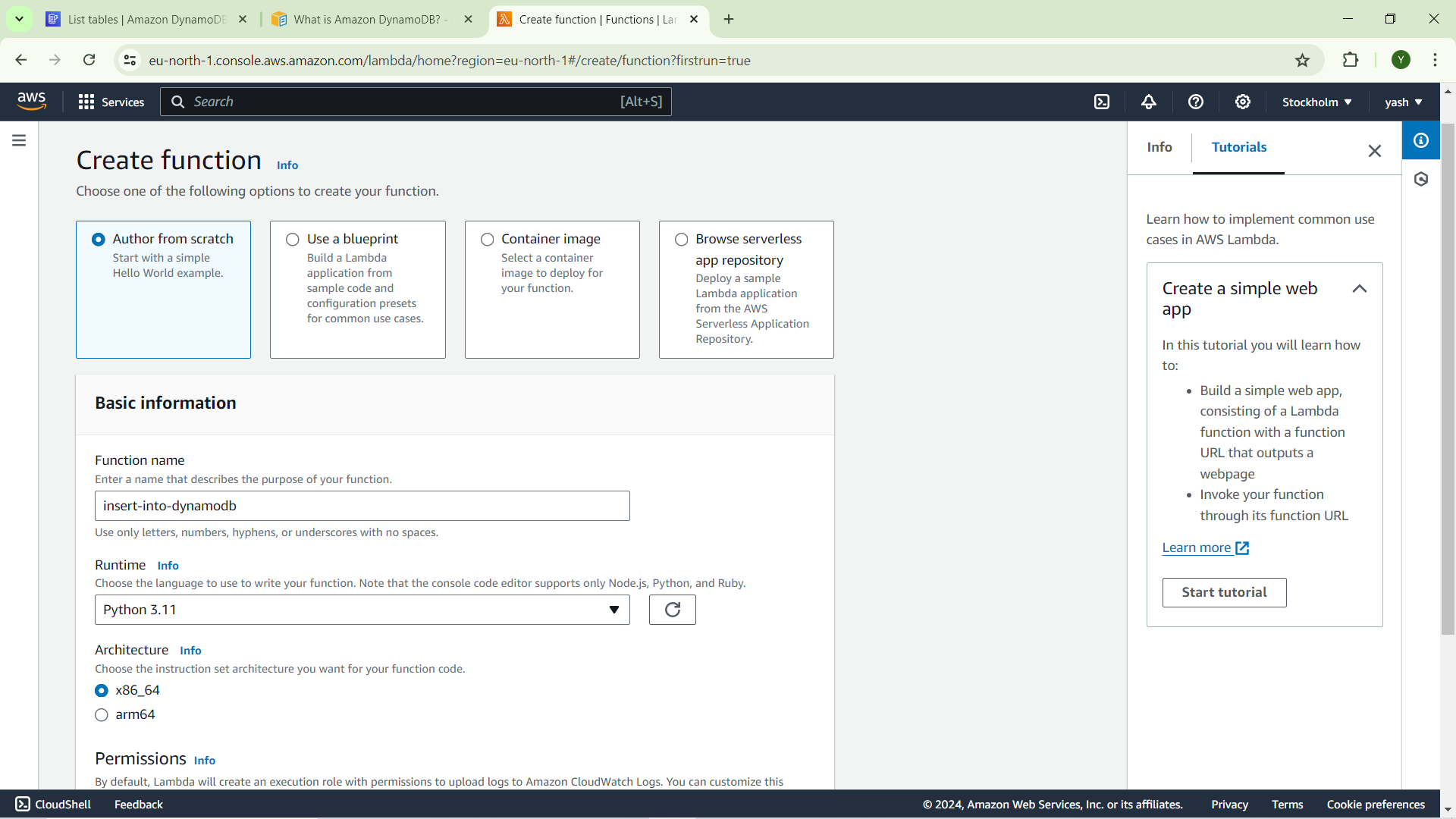
Choose "Author from scratch".
Enter a Function name (e.g., insert-into-dynamodb).
Select the Runtime ( Python).
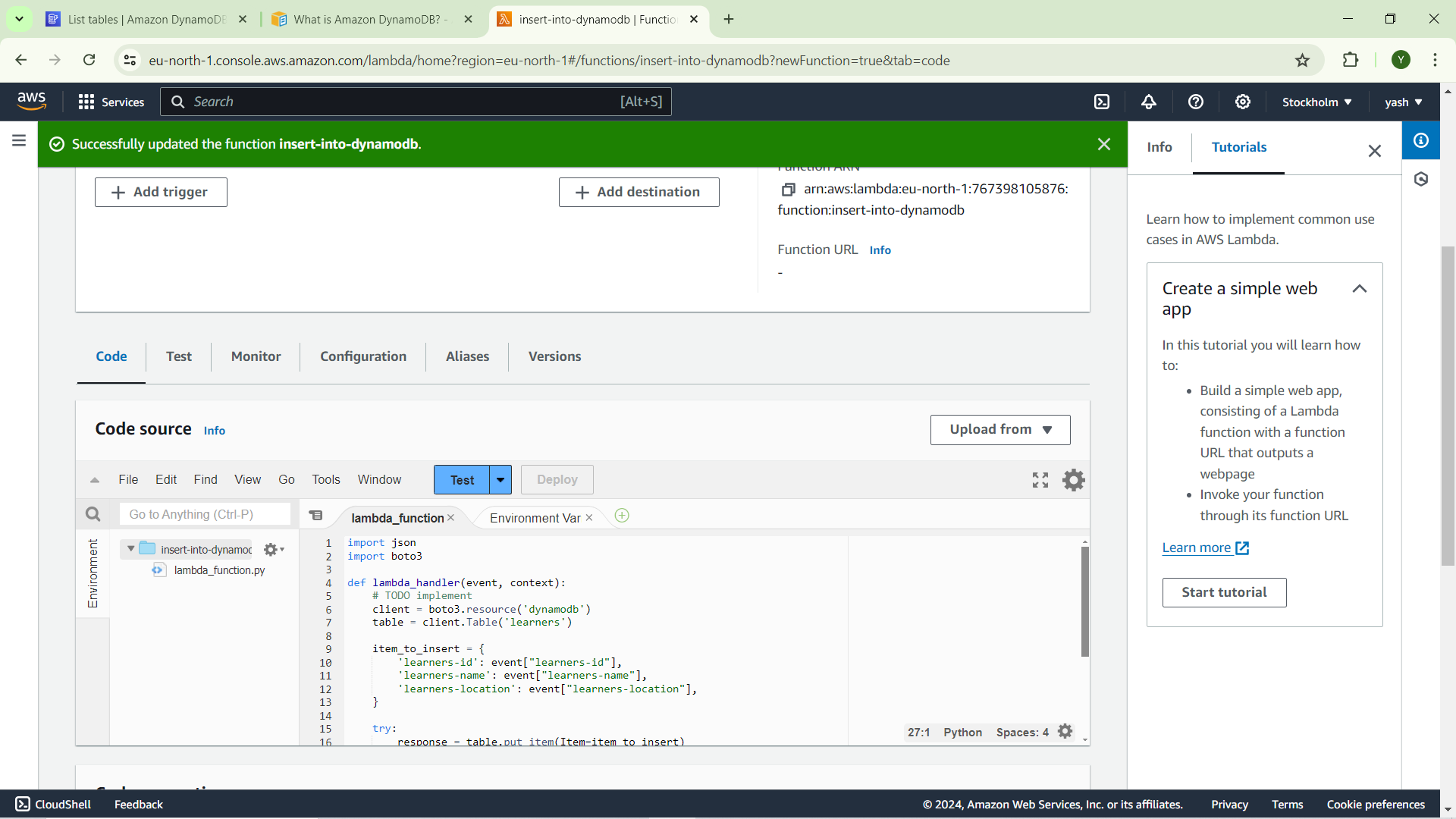
write insert code and deploy it
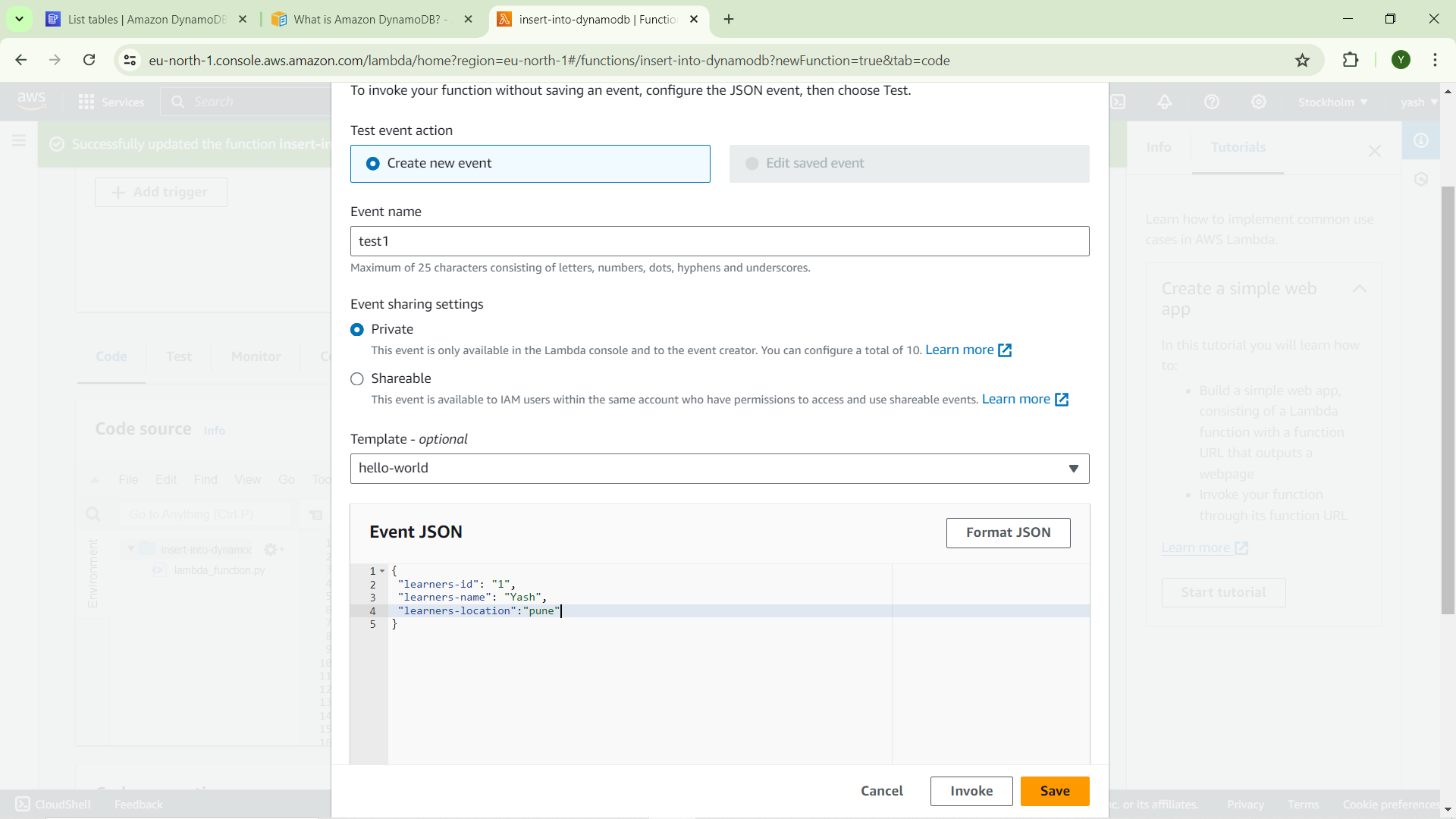
create test event
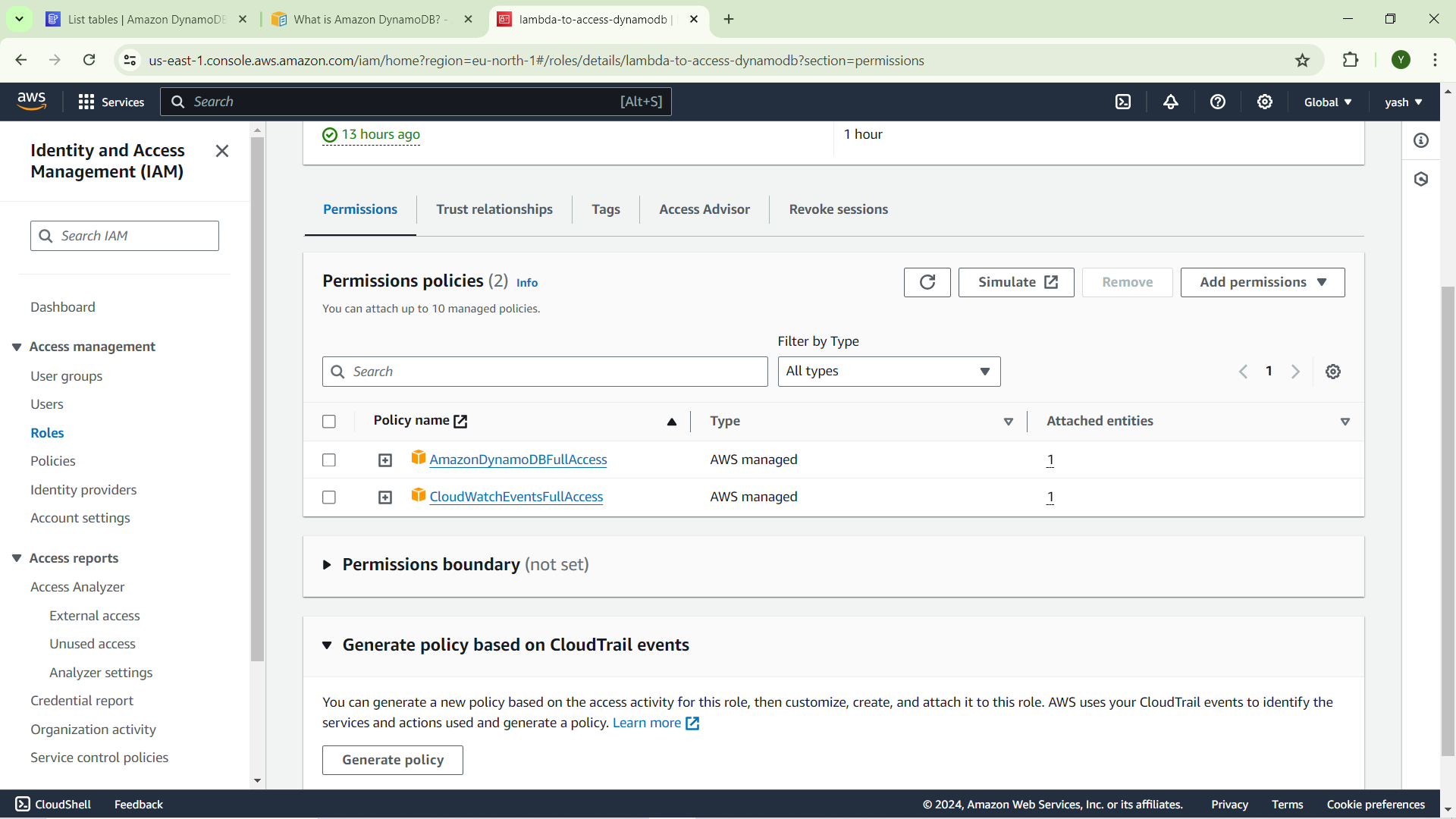
create iam role
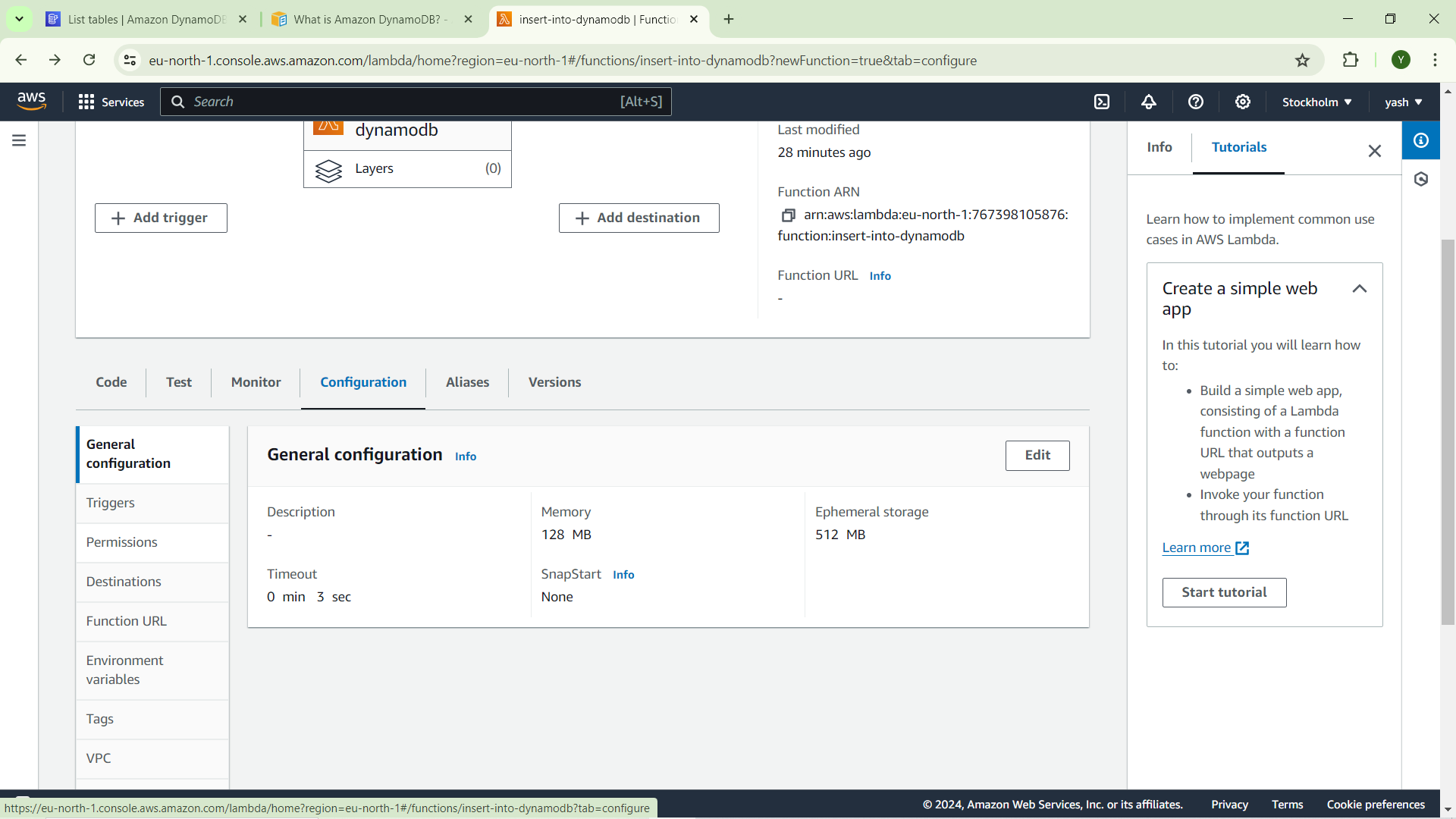
Give iam role to lambda function
configuration -> premissions -> edit role
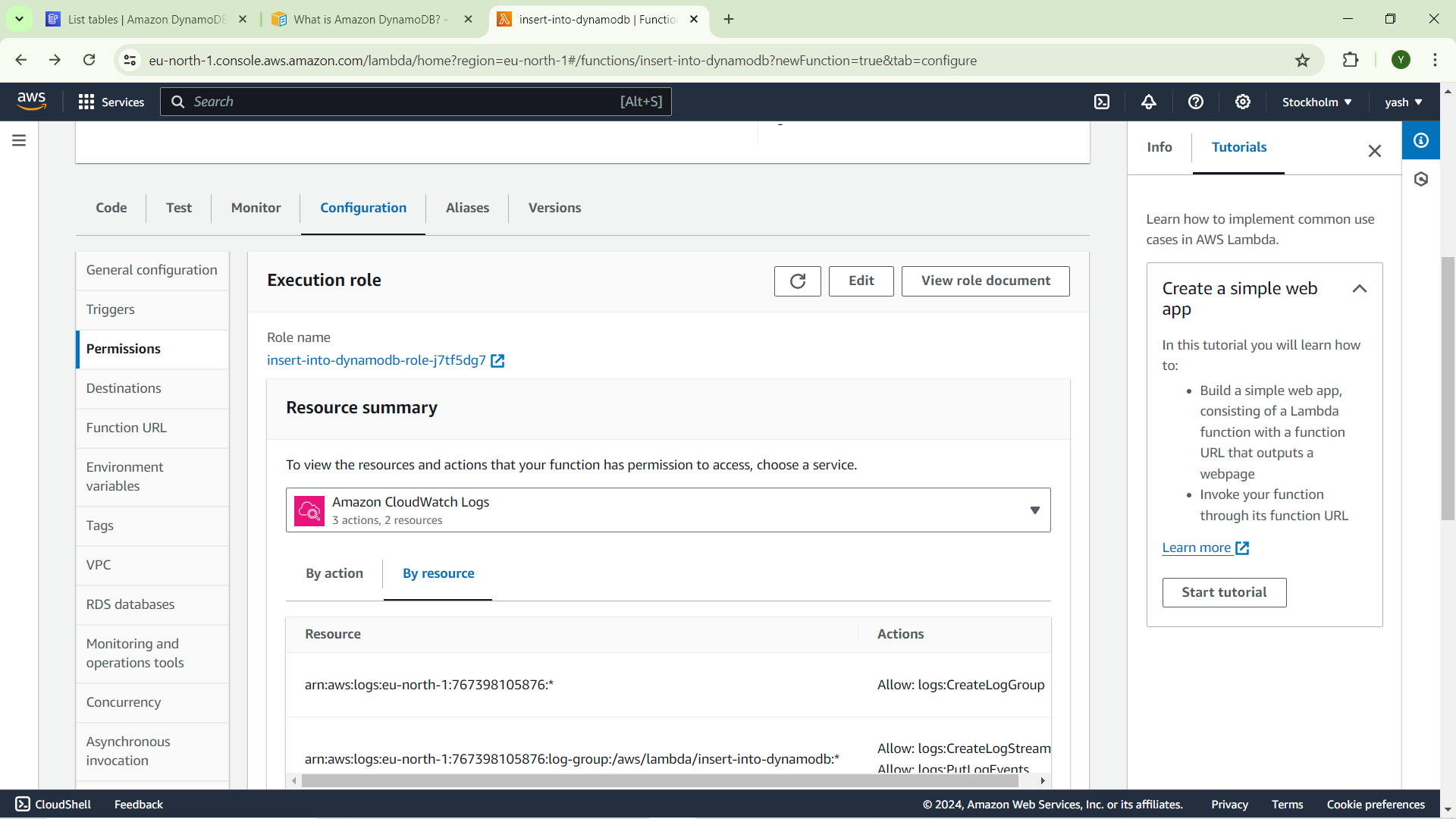
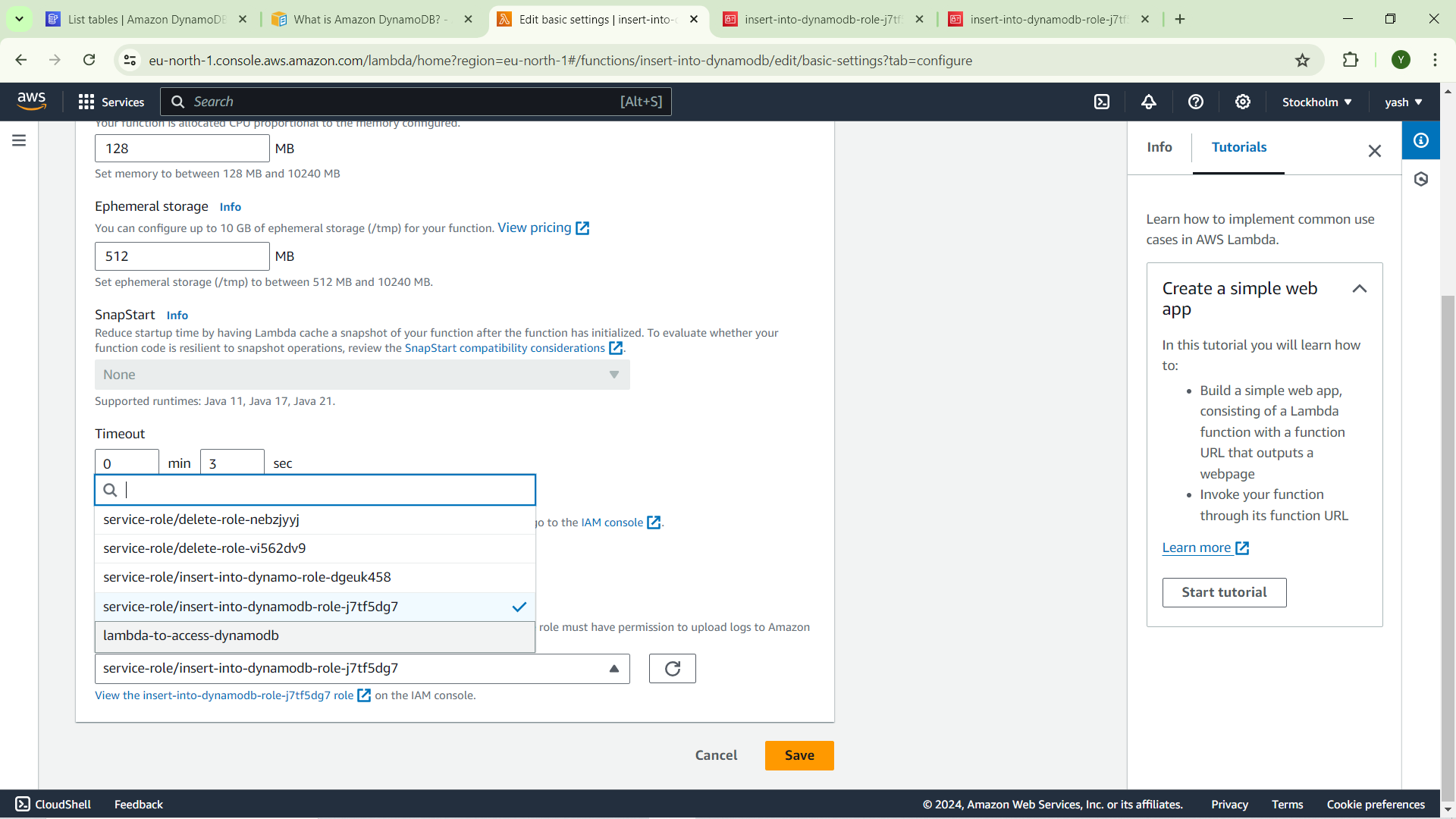
Deploy and Test the code
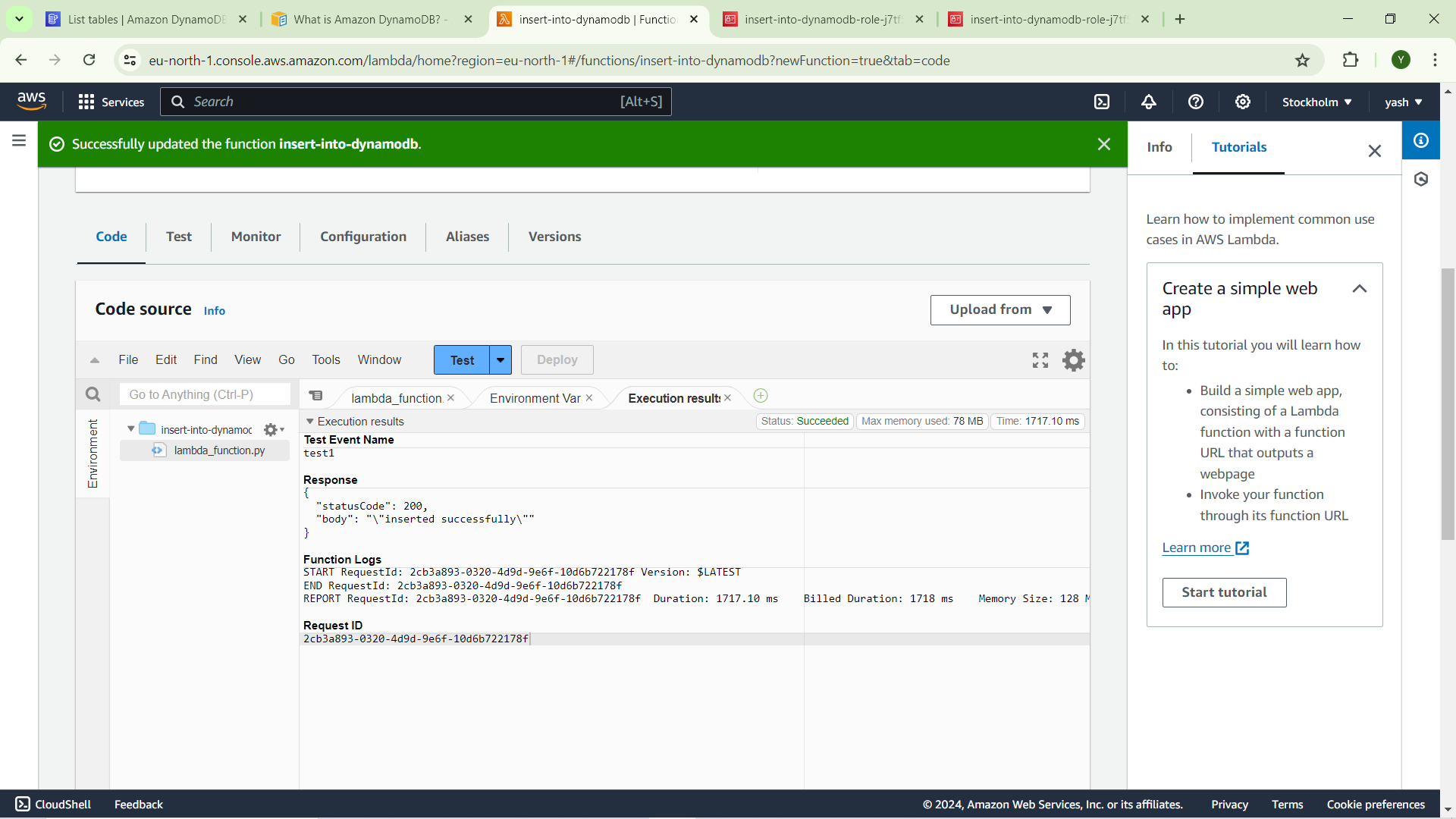
item inserted successfully
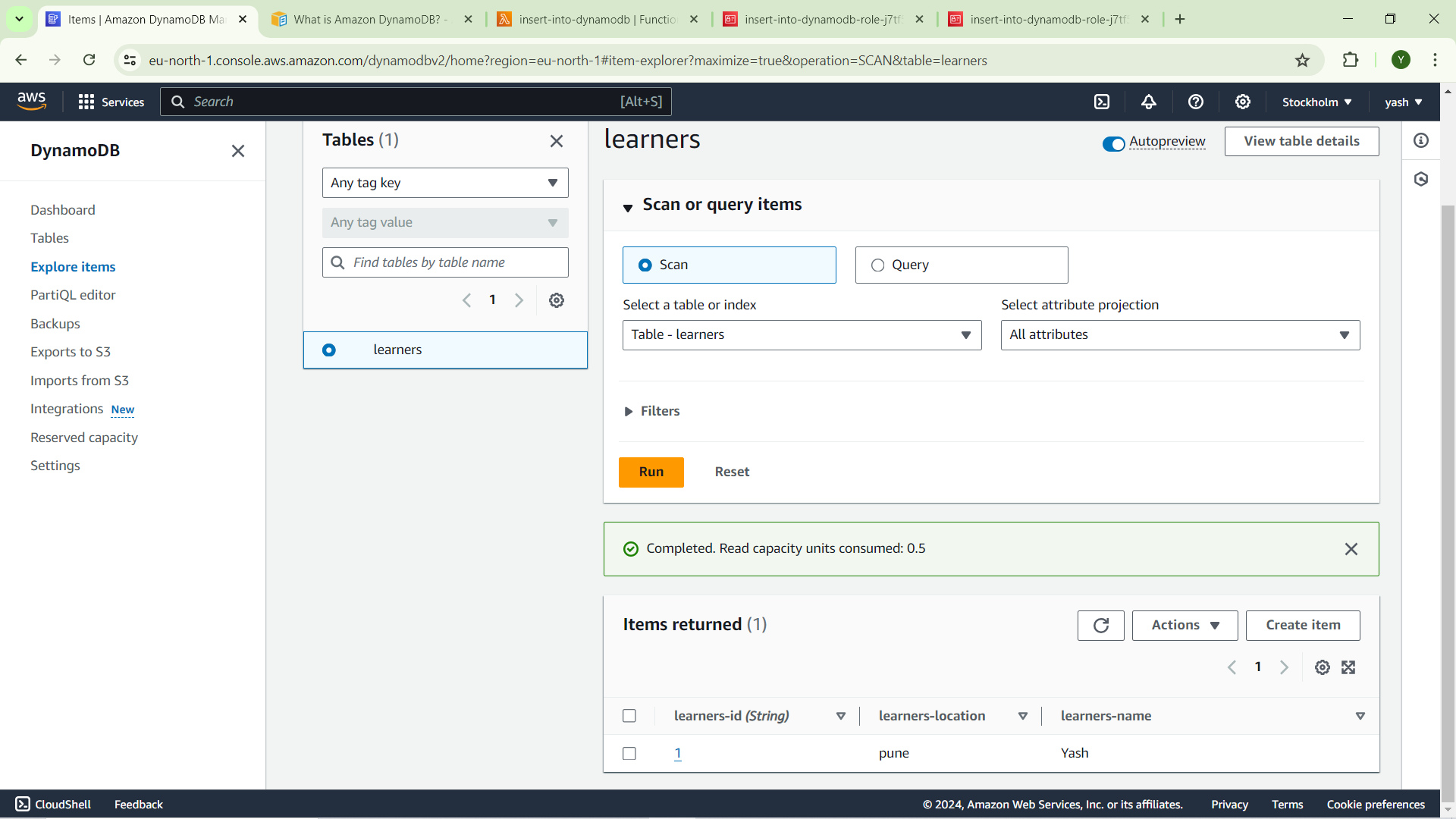
by using same steps we can insert and delete items
code for insert items
import json
import boto3

def lambda_handler(event, context):
    # TODO implement
    client = boto3.resource('dynamodb')
    table = client.Table('learners')

    item_to_insert = {
        'learners-id': event["learners-id"],
        'learners-name': event["learners-name"],
        'learners-location': event["learners-location"],
    }

    try:
        response = table.put_item(Item=item_to_insert)
        return {
            'statusCode': 200,
            'body': json.dumps('inserted successfully')
        }

    except Exception as e:
        return {
            'statusCode': 500,
            'body': json.dumps(str(e))
        }
code for delete items
import json
import boto3

def lambda_handler(event, context):
    # TODO implement
    client = boto3.resource('dynamodb')
    table = client.Table('learners')

    key_to_delete = {
        'learners-id': event["learners-id"],

    }

    try:
        response = table.delete_item(Key=key_to_delete)
        return {
            'statusCode': 200,
            'body': json.dumps('deleted successfully')
        }

    except Exception as e:
        return {
            'statusCode': 500,
            'body': json.dumps(str(e))
        }


